A task manager with team chat and lead capture built in
A board for the work, a channel beside it for the conversation, and forms you can put on any website so new work arrives without anyone retyping it.
No card, no seat count, no trial clock.
What’s inside
Three parts, one app, one plan.
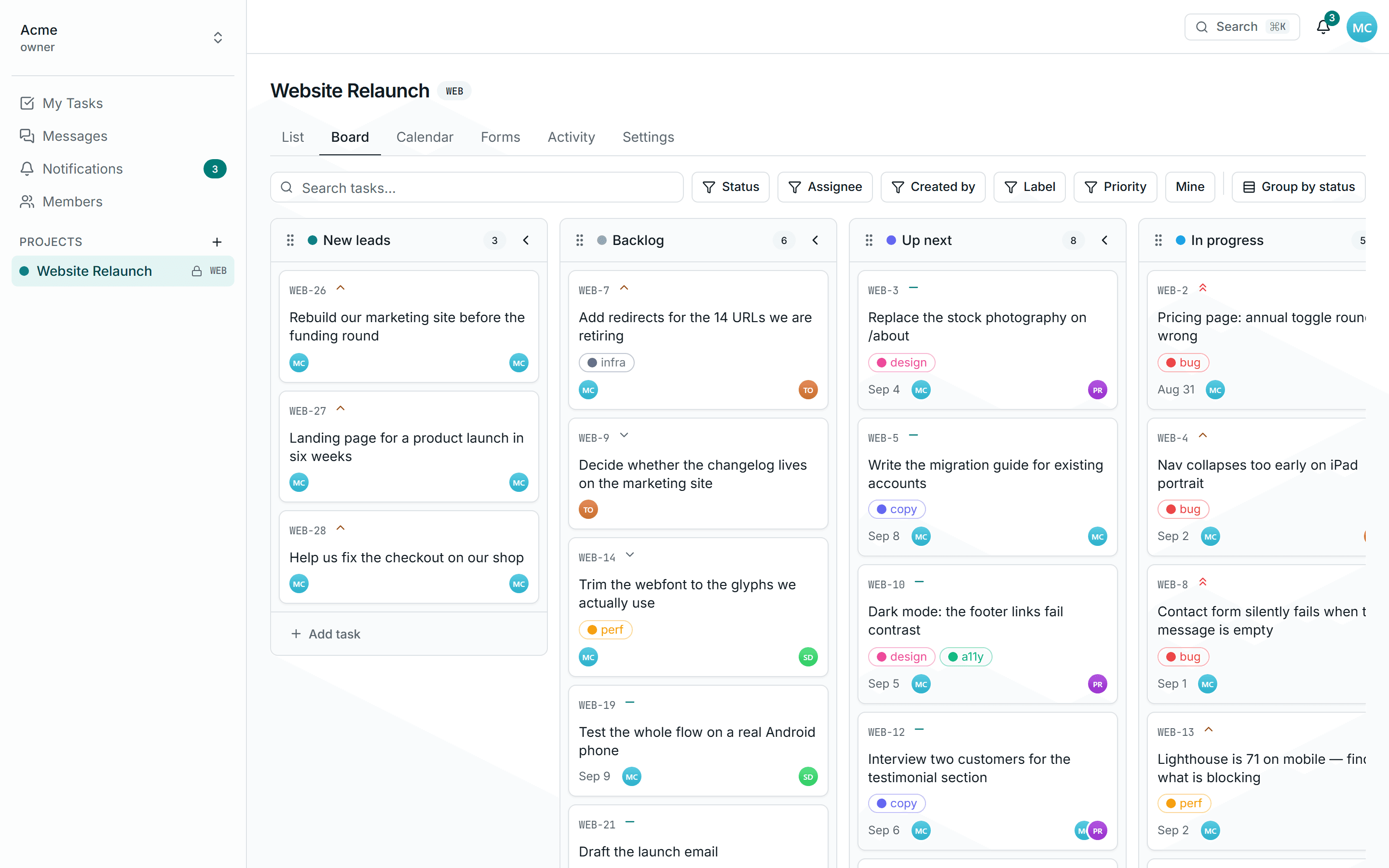
Tasks
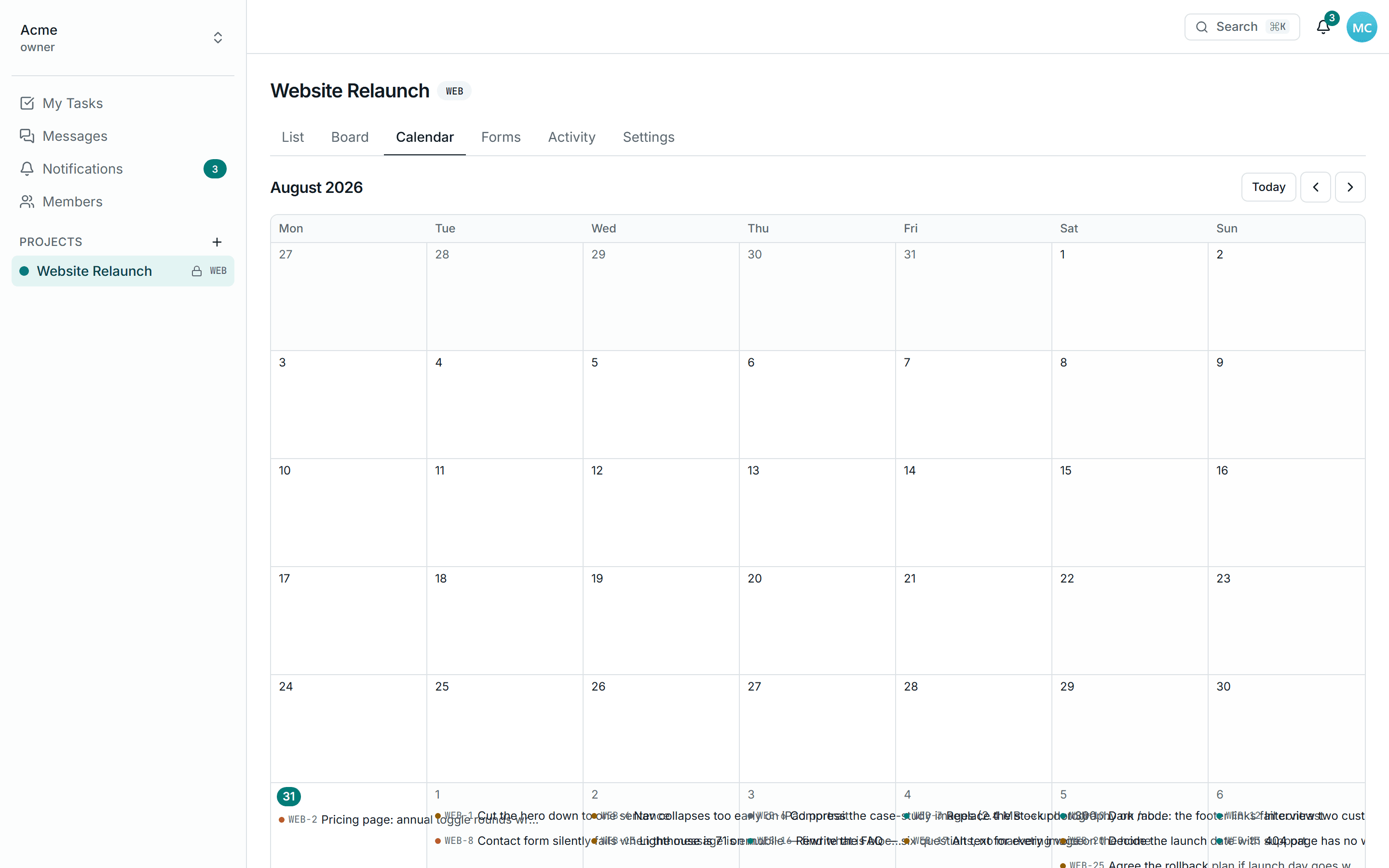
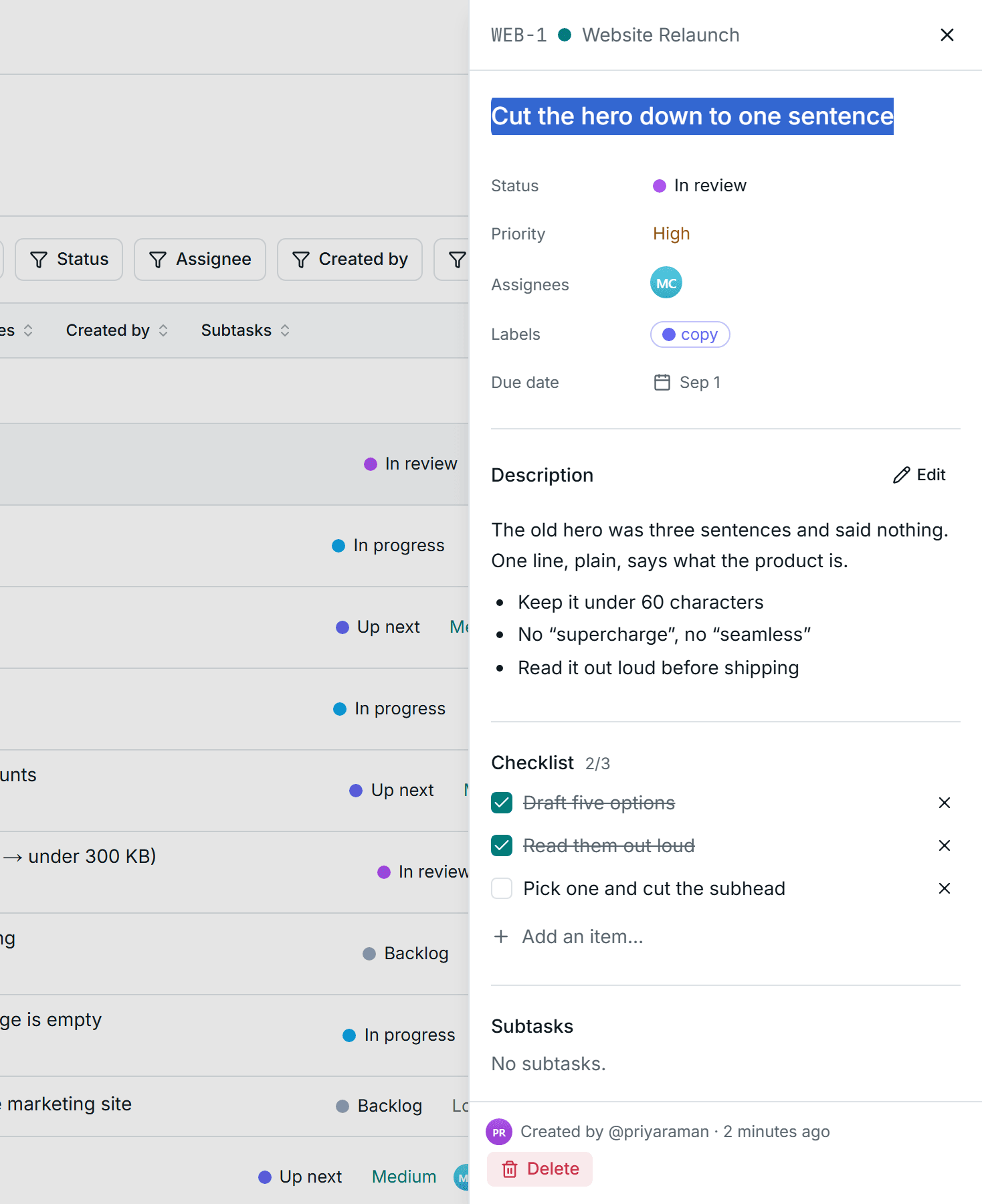
A board, a list and a calendar over the same work. Filters, sort and the open task live in the URL, so a view is a link.
Messaging
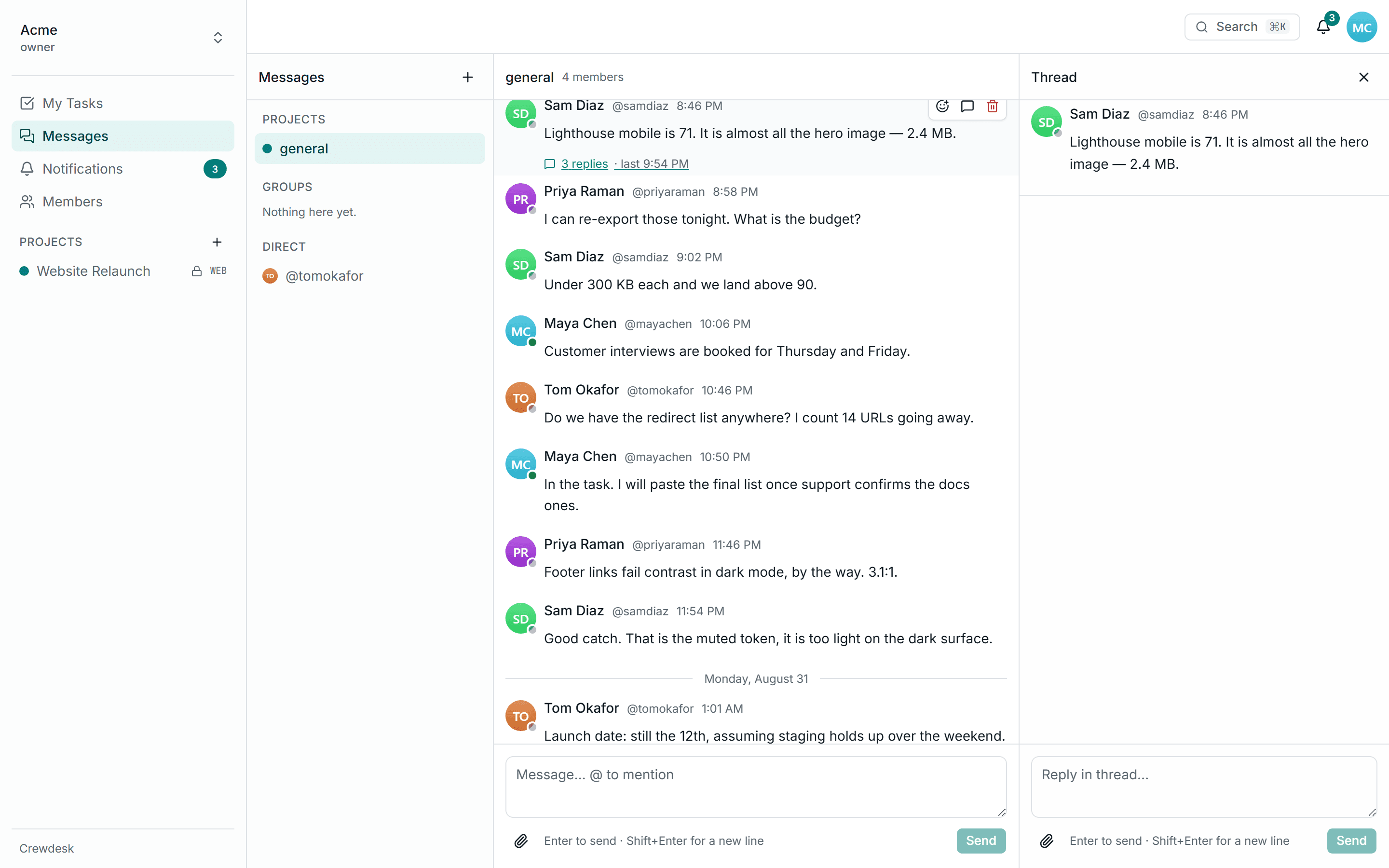
A channel for every project, plus groups and direct messages. Threads keep a side topic out of the main room.
Forms
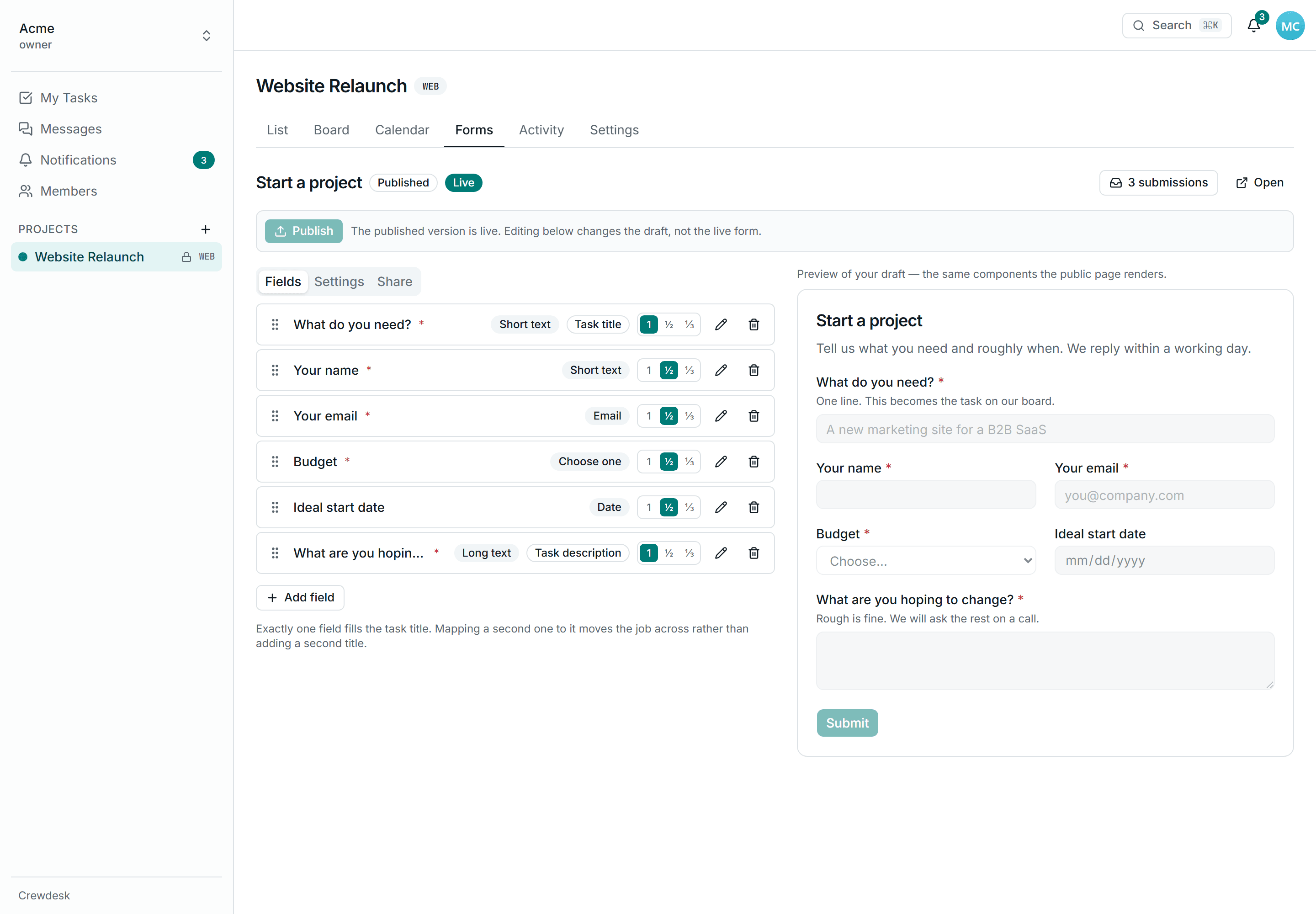
Put a form on any website. What people send arrives as a task on the board, with no inbox in between.
Board, list and calendar
The same tasks, whichever way you think
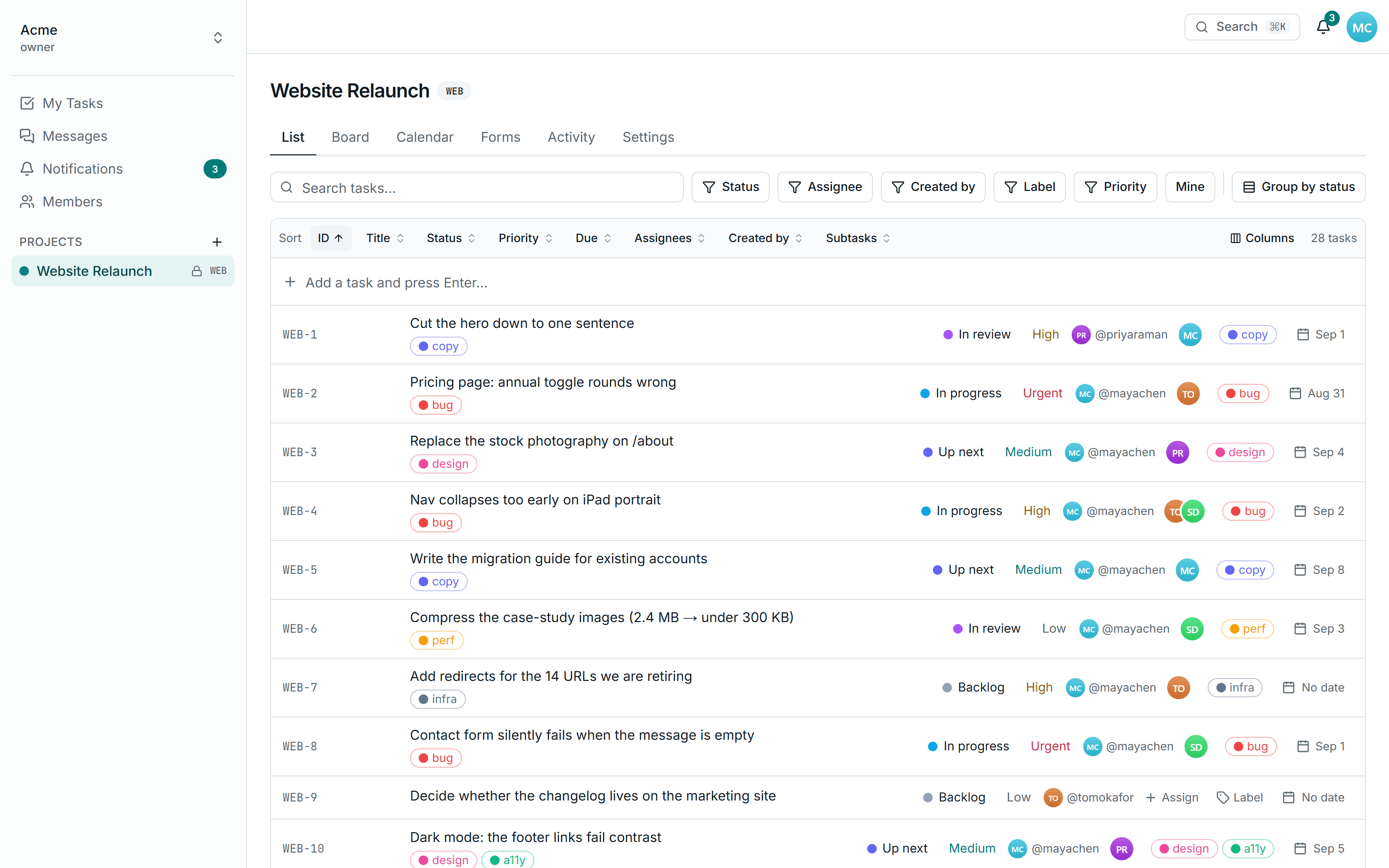
Drag a card between columns, work down a list, or lay the same tasks out by due date — three views of one project, and the filters, sort and open task travel with you when you switch. Everything is in the URL, so the view you are looking at is a link you can paste to someone.
- Drag with a mouse or move with the keyboard
- Filter by status, assignee, label, priority or who created it
- Group by status, sort by anything, hide the columns you do not use
- Month view on a desktop; on a phone the calendar becomes an agenda
Messaging
The conversation lives beside the work
Every project gets a channel. Reply in a thread when a topic deserves its own room, and the main channel stays readable. Mention someone with @ and they hear about it; nobody else does.
- A channel per project, plus groups and direct messages
- Threads, reactions, edits and file attachments
- @mentions notify the person named, and only them
Lead capture forms
A form on your website, a task on your board
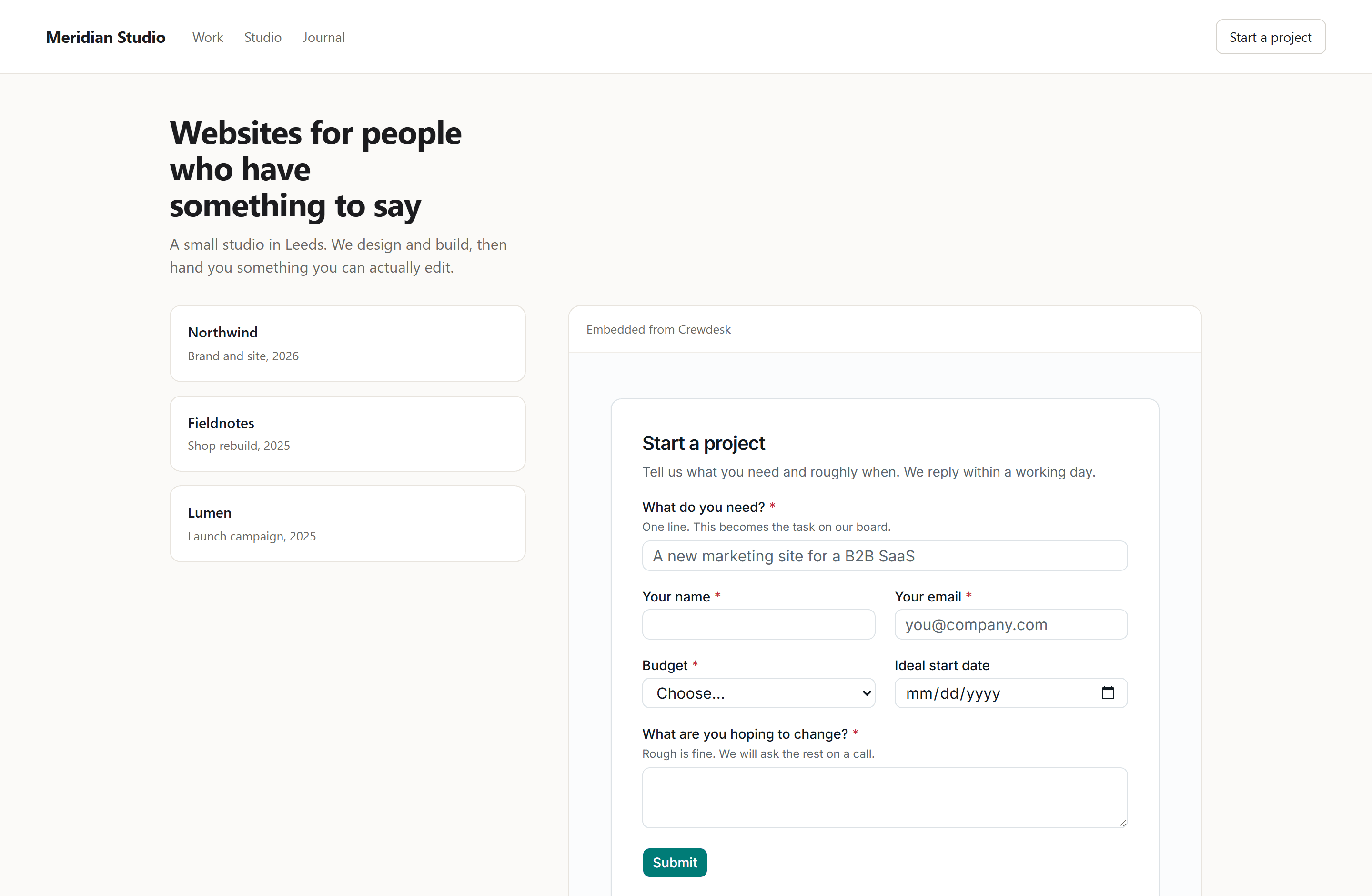
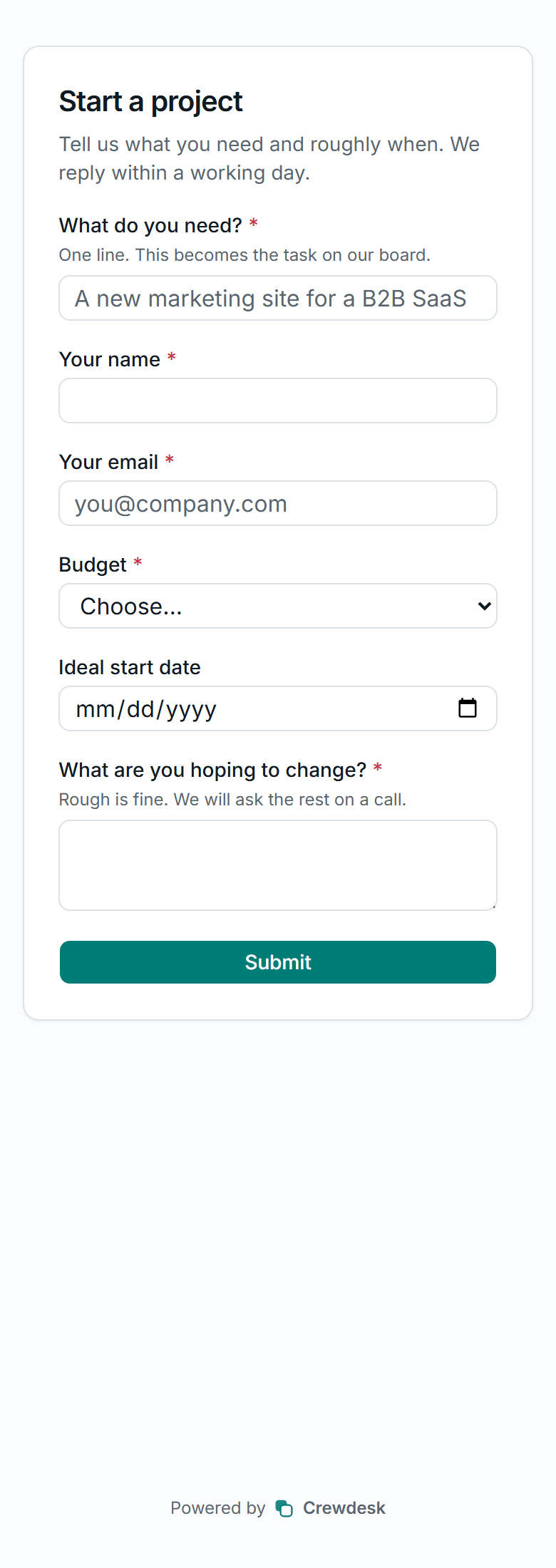
Build the form by dragging fields into place, set any of them to half or third width, and publish when it is ready. Paste it into your own site as a link, an iframe, or plain HTML you style yourself. What someone sends arrives as a task in the column you picked — no inbox in between, no copying anything across.
- Drag to reorder; half and third widths for the short answers
- Draft and published are separate — editing never changes the live form
- Embed as a link, an iframe, your own HTML, or HTML plus a fetch wrapper
- Submissions become tasks instantly, and export to CSV whenever you want
- Honeypot, a per-address rate limit and an optional email requirement
Build a form
Drag the questions into the order you want and set each one half or third width. Nothing is public until you press Publish.
Put it on your site
Copy a link, an iframe, plain HTML you can restyle, or the same HTML with a fetch wrapper that keeps people on your page.
Leads land on your board
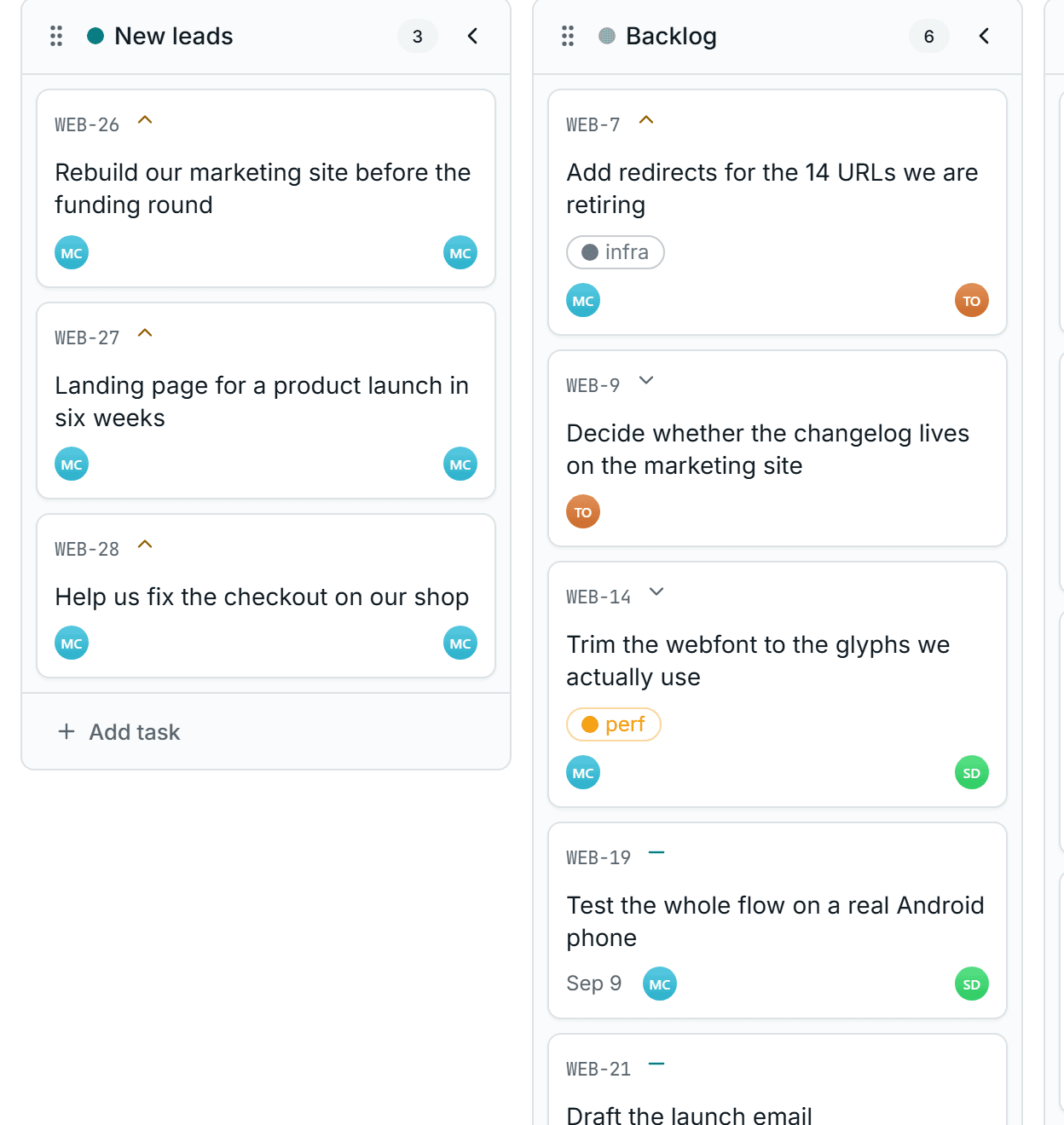
Every submission becomes a task in the column you chose, with the answers in the description and the sender's address on the record.
Work them with your team
Assign it, label it, drag it across the board, and argue about it in the project channel — it is an ordinary task from the moment it arrives.
Realtime
You can see who is here
Messages, task moves and notifications arrive without a refresh, and you can see who else is in the room and who is part-way through a reply. If the connection drops the app falls back to polling and catches up from where it stopped — you lose the immediacy, never the message.
- Presence dots and typing indicators
- New messages and card moves appear as they happen
- Reconnects without losing anything that arrived meanwhile
- Mayaonline
- Tomonline
- Priyaonline
Private projects and roles
People see the projects they are on
Access is opt-in. Joining the workspace gets you the workspace; a project needs someone to add you. A project you are not on is absent from your sidebar, your search, your calendar and your notifications, and its URL answers 404 rather than 403 so it cannot be probed for.
- Owner, admin, member and guest, ranked
- Editing a task is limited to its creator, its assignees and admins
- Guests can read a project but never change it
Everything included
Not a feature matrix with half the rows greyed out. There is one plan, and this is what is in it.
Lead capture forms
A public form that turns answers into tasks.
Publish workflow
Edit the draft all week; the live form only changes when you say so.
Embeds
A link, an iframe, your own HTML, or HTML plus fetch.
CSV export
Every submission, with the questions as they were asked.
Kanban board
Drag between columns, or move with the keyboard.
List view
Filter, sort, group, and hide the columns you do not use.
Calendar
Tasks by due date; an agenda on a phone.
Labels
Free-form tags, coloured per project.
@mentions
Notifies the person named, in tasks and in chat.
Threads
Replies get their own room, one level deep.
Attachments
Private storage behind an authenticated route.
Private projects
Membership decides who sees a project at all.
How this differs from the tool you are probably paying for
Not a knock on those tools — they are built for companies with procurement departments. This one is not.
| Aspect | Crewdesk | A typical paid tool |
|---|---|---|
| Lead capture forms | Included | A paid add-on, or a higher tier |
| Price | Free | $8–15 per person per month |
| Adding a fifth person | Add them | Changes the invoice |
| Trial | None to expire | 14 days, then read-only |
| Messaging | Built in | A separate subscription |
| Setup | Sign up, make a project | Onboarding call |
| Settings to learn | Six screens | A settings sidebar |
| Your data | In your own database | On their servers |
One plan, no card
Crewdesk is free because it is small and it runs on infrastructure with generous free tiers. The honest limits are on the right — they are the ones the underlying services impose, not ones invented to sell you an upgrade.
Everything in the list above, for everyone in your workspace.
- People
- No limit
- Projects and tasks
- No limit
- File uploads
- 10 MB a file, 2 MB for an avatar
- Task list length
- 500 rows a view, no pagination yet
- Realtime
- Falls back to polling if the key is unset
- Password resets only
Questions
- How do I put a form on my website?
- The Share tab gives you four ways: a link you can send, an iframe to paste in, plain HTML you can restyle completely, and that same HTML plus a small fetch wrapper so the visitor stays on your page and sees the result inline. The iframe and the hosted link need no code at all. Public form pages are the only part of Crewdesk that allows being framed — everything else refuses.
- Do form submitters need an account?
- No. A public form is the one part of Crewdesk that works with no account and no session at all — it does not even read a cookie. The task it creates is attributed to whoever built the form, and the sheet says “Created via form” beside the name so nobody mistakes it for their own work.
- Is it really free?
- Yes, and there is no seat count to watch. Everything it runs on has a free tier that a small crew stays inside. There is no paid plan to upsell you to, because there is no paid plan.
- What happens when we outgrow the free tiers?
- You would notice it as slower queries or realtime dropping back to polling, not as a locked screen. Crewdesk is open source and self-hostable: run it on your own database and hosting, and the limits become whatever you pay for those.
- Can people outside the team see our projects?
- No. Projects are private and access is opt-in — being in the workspace grants nothing until someone adds you to a project. A project you are not on is not in your sidebar, your search results, your calendar or your notifications, and its URL answers 404 rather than 403 so it cannot be probed for.
- Do I need to invite people by email?
- You invite by @handle or with one shareable link. Nothing is emailed: a direct invite shows up on the person's own dashboard when they sign in. Handle lookup is exact-match only, so the invite box cannot be used to discover who has an account.
- Does it work on a phone?
- Yes. The board scrolls sideways, the calendar becomes an agenda, and messaging is a list that opens into a conversation. Every screen is checked at 390 pixels for horizontal overflow and for tap targets under 24 pixels.
- What is deliberately missing?
- Time tracking, Gantt charts, custom fields, automations, guest billing, and an integrations directory. Crewdesk is a board, a list, a calendar and a chat window for a team small enough to know each other's names.
Make a project and put one task in it
That is the whole setup. If it is not useful in ten minutes, it probably is not for you.
Get started free